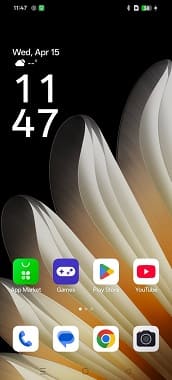
If you own a Oppo Find X8 Ultra PKJ110 and want to flash the Global firmware, this guide will help you out. Many users buy the Chinese version of this tablet, only to realize that the system is limited to certain regions and lacks features available on the global release.
By installing the Global firmware, you can turn your Chinese Oppo Find X8 Ultra PKJ110 into a device that feels just like the original global variant. This process removes region-based restrictions, adds support for more languages, and ensures better compatibility with apps and services outside of China.
Keep in mind, converting your device from the Chinese edition to the global version is a technical task. It involves installing the correct Stock firmware files and making sure every step is followed carefully. With the proper Global Stock firmware package, you can successfully transform your Oppo Find X8 Ultra PKJ110 into a fully functional Global variant.
Requirement’s
- Unlocked bootloader
- Platform tools
- Global firmware
- Contact Me for professional convert/unlock service.
How To Install Global Firmware On Oppo Find X8 Ultra PKJ110
- Download global rom
- Unzip downloaded file
- Download & flash platform tools
- Flash firmware
fastboot flash system system.img
fastboot flash system_ext system_ext.img
fastboot flash product product.img
fastboot flash my_bigball my_bigball.img
fastboot flash my_carrier my_carrier.img
fastboot flash my_engineering my_engineering.img
fastboot flash my_region my_region.img
fastboot flash my_stock my_stock.img
fastboot flash my_heytap my_heytap.img
fastboot flash my_product my_product.img
fastboot --disable-verity --disable-verification flash vbmeta vbmeta.img
fastboot --disable-verity --disable-verification flash vbmeta_system vbmeta_system.img
fastboot --disable-verity --disable-verification flash vbmeta_vendor vbmeta_vendor.img
fastboot erase my_preloads
fastboot reboot
Note:
- Flash at own risk.
- If the bootloader is restricted or restricted, try third party tools that support your device variant
Converted by me.. only A15 supported