I’m writing this for one simple reason: when I needed it, I couldn’t find a clear, beginner-friendly, step-by-step guide that actually explained the whole process from start to finish. Most posts assume you already know half the stuff, or they skip important details.
So I sat down, tested everything myself, and put this together. It didn’t take long, but I know it’ll save a lot of people hours of frustration. If this helps you even a little, a like or share would mean a lot.
What this method actually does
Once set up correctly, apps behave exactly like they do on a non-rooted device.
I personally tested this with:
- Multiple banking apps
- Google Pay / Google Wallet
- McDonald’s app
- Government services
- 8 Ball Pool
- Call of Duty
- PUBG
All of these are known to check Play Integrity (including STRONG) and normally refuse to run on rooted phones. After following this guide exactly, everything worked without issues.
If you later combine this with proper X/LSPosed hiding and app list filtering, the results are even better.
Supported devices & root setups
Platform
-
Android
Root managers confirmed working
- SukiSU Ultra
- KernelSU Next
- KernelSU
- Wild KernelSU
What you need before starting
Make sure all of this is done before you touch any modules:
- Bootloader must be unlocked
- Device must already be rooted
- Kernel patched with SUSFS
Enable:
- USB debugging
- USB installation
- Security settings
- Disable ADB authorization timeout
Skipping any of the above will almost always cause problems later.
Files you’ll need
All files listed here are safe and publicly available. VirusTotal links are included for transparency.
Required downloads
- Zygisk Next
File:Zygisk-Next-1.3.2-688-2c60cdd-release.zip - Play Integrity Fork (by osm0sis)
File:PlayIntegrityFork-v16.zip - [Module – update coming shortly]
File: TBA - Integrity Box (by MeowDump)
File:v27.1-Integrity-Box-28-12-2025.zip
Here Is Module Pack: Download Here
Huge thanks to the developers behind these projects. None of this would be possible without their work.
How to Install the modules
Take your time here. Don’t rush.
- Open your root manager
- Go to the Modules section
- Tap Install and select the Zygisk Next zip
- Confirm all prompts and wait until it finishes
- Install Play Integrity Fork the same way
- Install the third module (the one marked for update)
- Reboot
- After reboot, install Integrity Box
- Reboot one last time
At this point, all required modules should be installed.
Configuring everything correctly
This part matters just as much as installation.
- Open your root manager → Modules
- Tap Zygisk Next
- Enable “Use anonymous memory”
- Go back
- Find Play Integrity Fork
- Tap the Action button
- Wait for it to finish, then close
- Do the same action step for Integrity Box
- Now open Integrity Box settings
- Scroll down
- Tap “Fix device not certified”
Once done, reboot the device.
That’s it. No extra tweaks needed here.
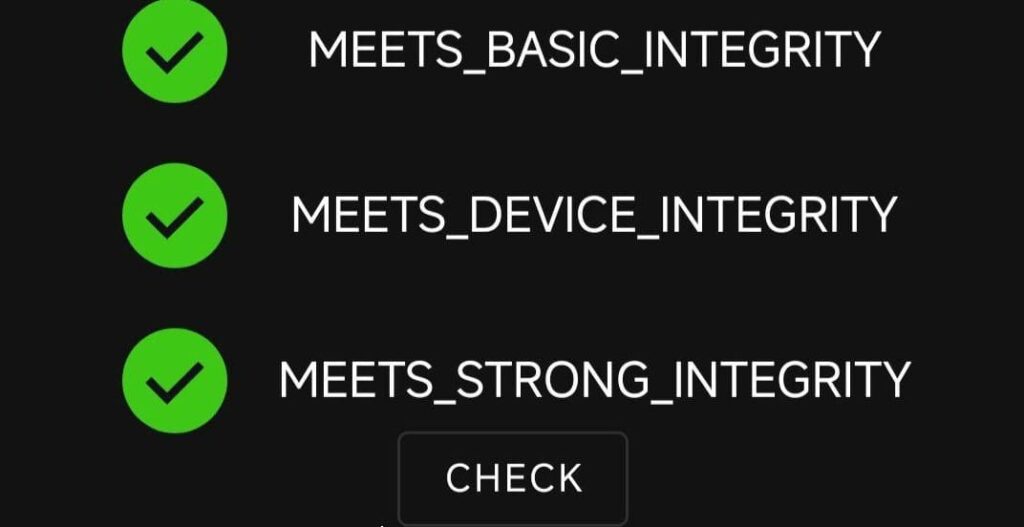
How to verify everything worked
Use at least one of the apps below to confirm your integrity status:
- Play Integrity API Checker
- TB Checker
- Key Attestation
If set up correctly, you should see STRONG integrity passing.