
OnePlus Nord 2T (CPH2401) Firmware Flash File, Tools & Solutions
Download OnePlus Nord 2T official firmware, Stock ROMs, and recovery files for free
Firmware & Solutions for CPH2401
- Version: CPH2401_14.0.0.2900(EX01)
- Updated: April 2, 2026 06:17:57
- Region: IN
- Size: 264.48 MB
- MD5 Hash: c67768f18495e18c9697bcb93613005b
- Type: OTA
Firmware & Solutions for CPH2401
- Version: Link Resolver & Downloader
- Updated: February 22, 2026 11:49:27
- Type: Solution
Firmware & Solutions for CPH2401
- Version: CPH2401_11.A.18_0180_202212032008
- Updated: October 14, 2025 12:10:51
- Region: IN
- Type: Stock
Firmware & Solutions for CPH2401
- Version: CPH2401_11_C.30
- Updated: October 14, 2025 12:10:51
- Region: IN
- Type: Stock
Installation Guide for OnePlus Nord 2T Stock Firmware
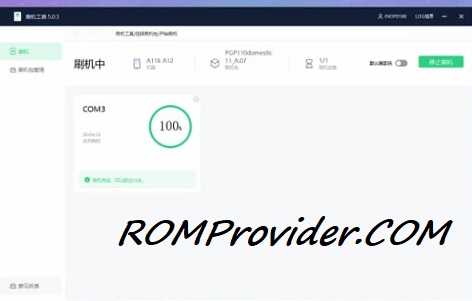
Most of new devices are protected and can be flash only with official edl auth..- Download and extract the firmware ZIP file to your computer.
- Install Oplus USB drivers on your PC.
- Download and extract the Oplus Download Tool.
- Launch the tool and log in with a service account (if required).
- Click Import and select the extracted firmware folder.
- Click the START button in the tool.
- Power off the phone, then press and hold both Volume Up + Down buttons.
- While holding the buttons, connect your device to the PC via USB.
- Wait for the tool to detect and flash your phone automatically.
Bootloader Unlocked Devices:
- Flash using fastboot enhance tool
- Flash using any tool that support your device
⚠️ Disclaimer & Safety Guidelines
- Proceed at your own risk – Wrong flashing may brick your device.
- Always make a full backup before process.
- Make sure your device is charged.
Note: All resources on this page are sourced from public domains and community efforts. For removal requests or issues, contact us directly.